
What is Network Topology?
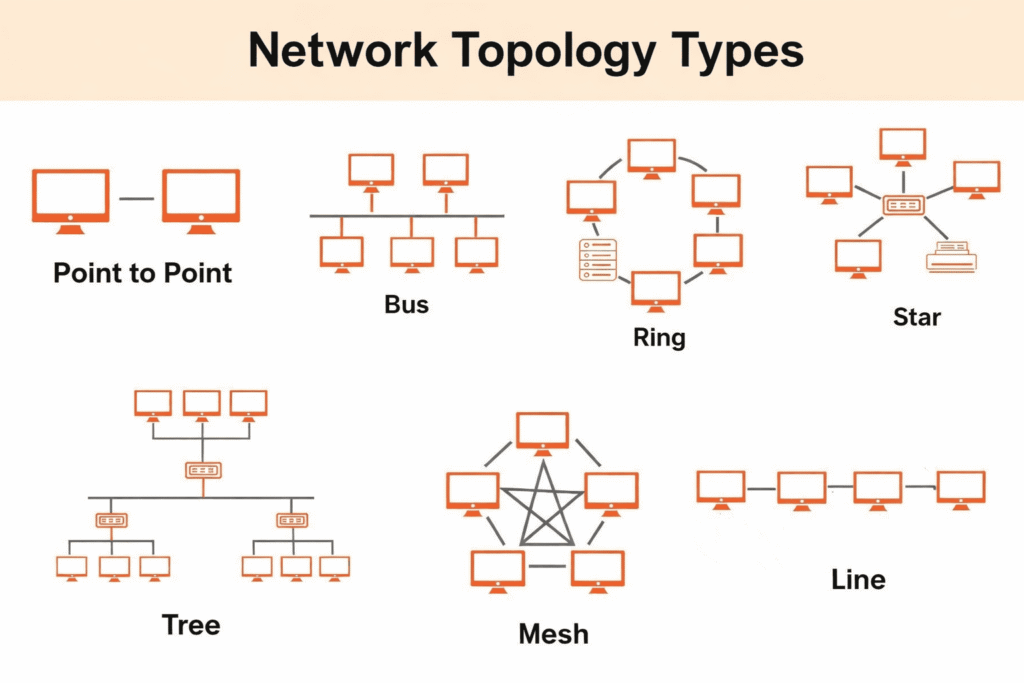
Network Topology is the arrangement of devices (nodes) and connections (links) in a computer network. It defines how computers, servers, and other devices are connected, and how data flows between them. In computer networking, the way devices are connected plays a major role in how efficiently data is shared.
There are two main types of network topology:
💠 Physical Topology: This refers to the actual physical layout of the network, including cables, switches, and devices.
💠 Logical Topology: This describes how data travels within the network, regardless of how the devices are physically connected.
Types of Network Topology
1. Point to Point Topology
Point-to-point topology is the simplest network configuration, connecting two nodes directly through a dedicated communication link. This setup resembles a direct line between two endpoints, enabling efficient and rapid data transfer.
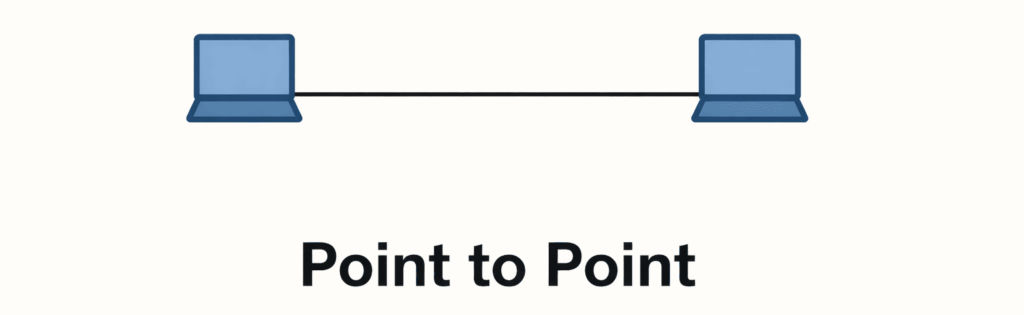
Think of a telephone call between two people. In a point-to-point topology, such as the one used in that call, two connected devices communicate directly without interference, sharing the entire bandwidth for high performance and low latency.
2. Bus Topology
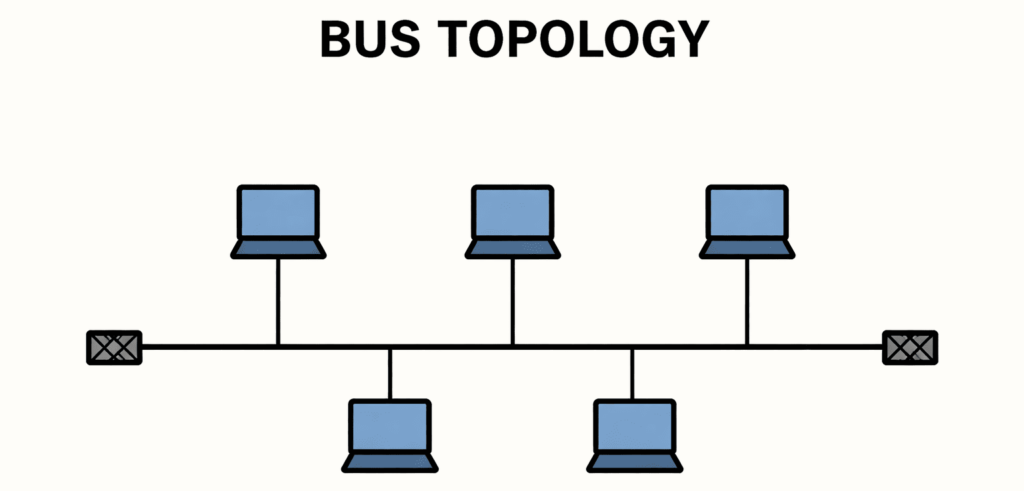
In a bus topology, all computers connect to one long central cable. This main cable works as the communication path for the whole network. When a device sends data, it places the message and the target address on the cable. The signal travels along the cable, and each device checks whether the address belongs to it. The device that matches accepts the data, while all others ignore it. Special terminators at both ends of the cable stop the signal from bouncing back. To avoid data crashes, only one device can send information at a time.
Advantages
💠 Simple and easy to install
💠 Cost effective because it uses less cable
💠 Cost-effective for small networks
Disadvantages
💠 If the main cable fails, the entire network stops
💠 Performance decreases as more devices are added
💠 If the network traffic is heavy, it increases collisions in the network.
💠 Only one device can send data at a time.
3. Star Topology
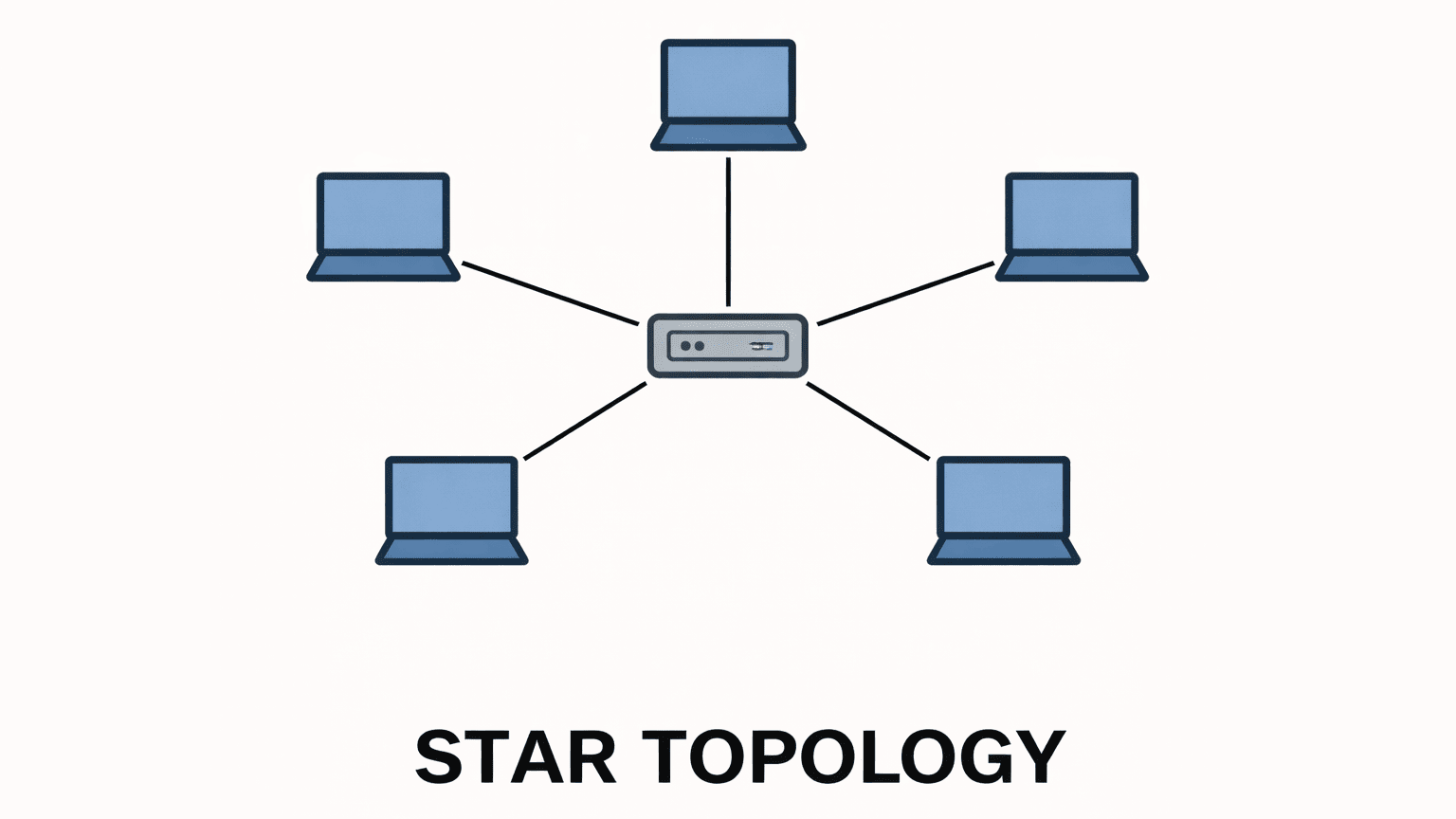
In this topology, all computers connect to one central device, such as a hub or switch. This central point handles all data movement. When any device sends information, it first reaches the hub, which then directs it to the intended device. All communication passes through this hub. If one connected device fails, the rest of the network continues to run smoothly. However, if the hub stops working, the entire network is affected.
Advantages of Star Topology
💠 One device failure does not stop the whole network.
💠It is very easy to set up.
💠It supports high-speed communication.
Disadvantages of Star Topology
💠The central device is very important.
💠It needs more cables than simple topologies.
💠It becomes costly when many devices join.
4. Ring Topology
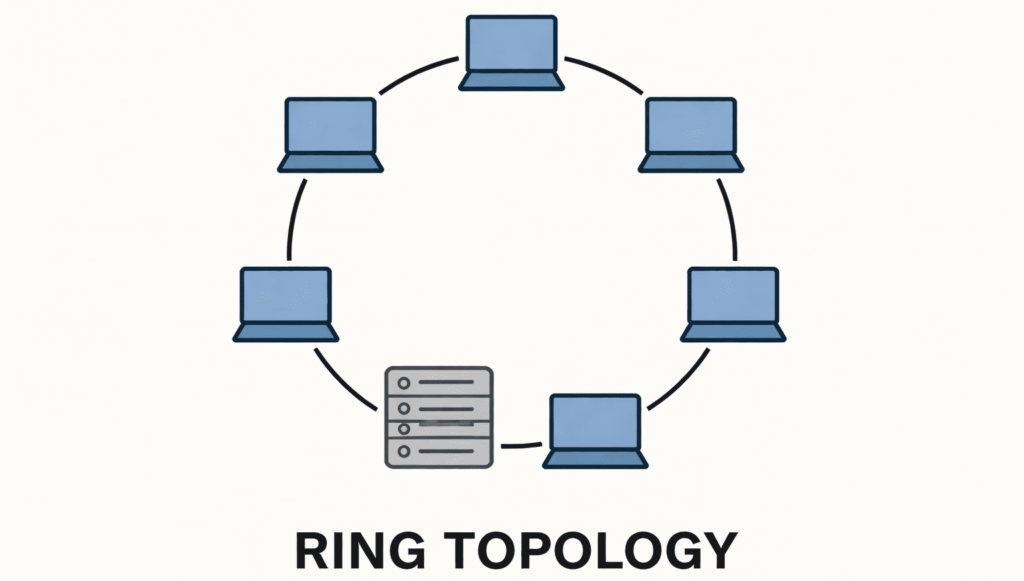
In a ring topology, devices connect in a closed loop, forming a circle. Data moves in one set direction, passing through each device one by one. Every device helps forward the data to the next system in the ring. Because of this chain-like path, one device failure can interrupt the entire network unless special features are used to keep the flow active.
Advantages of Ring Topology
💠Every device gets equal network access.
💠It keeps data moving in an organized loop.
💠It does not slow down easily with a few more devices.
Disadvantages of Ring Topology
💠One device failure breaks the whole ring.
💠Adding new devices is difficult.
💠Troubleshooting takes time.
5. Mesh Topology
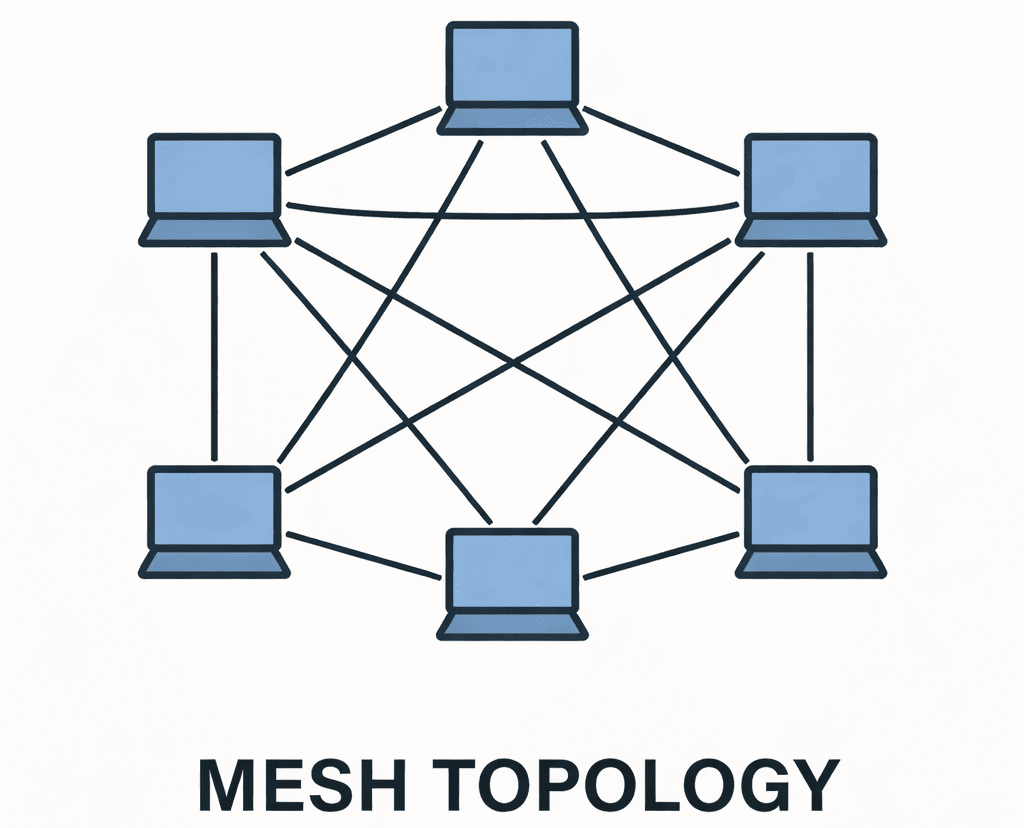
In a mesh topology, every device has a direct connection to every other device in the network. Data can move on many paths. If one path stops, data uses another path. This makes the network very strong and reliable.
Advantages of mesh Topology
💠 It keeps working even if one link fails.
💠 It offers the most reliable connection.
💠 Devices send data through many possible paths.
Disadvantages of mesh Topology
💠 It uses many cables.
💠 It is expensive to install.
💠 It is hard to manage in large setups.
6. Tree Topology
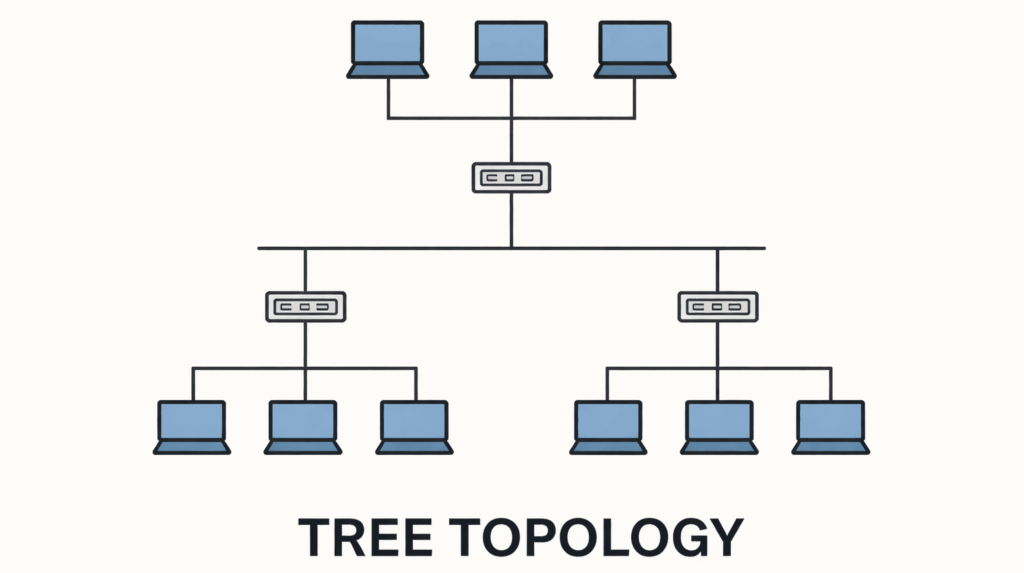
A tree topology is a hierarchical network structure that combines features of bus and star topology. It looks like a tree, where a main backbone connects to multiple branches, and each branch connects to several devices.
Advantages of Tree Topology
💠 It expands easily without breaking the structure.
💠 It organizes devices in a clear layout.
💠 It supports many computers at the same time.
Disadvantages of Tree Topology
💠 It needs more wiring than simple topologies.
💠 Managing it becomes harder as the network grows.
6. Hybrid Topology
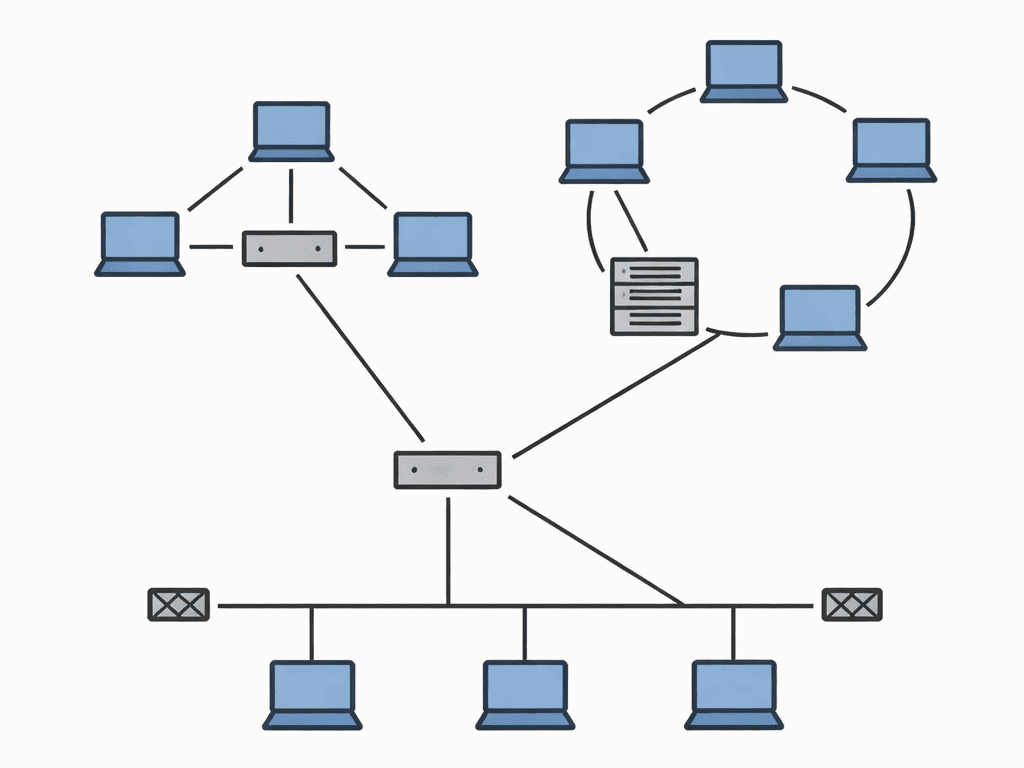
In a hybrid, two or more topologies work, such as star, bus, ring, or mesh. This makes the network flexible. Data moves through the parts that work together. If one part fails, the rest of the network may still work.
Advantages of Hybrid Topology
💠 It offers high performance.
💠 It grows easily without changing the whole network.
💠 It allows mixing the best parts of other topologies.
Disadvantages of Hybrid Topology
💠 It costs more than simple setups.
💠 It requires skilled people to manage.
💠 Designing it takes time and planning.
1 thought on “What is Network Topology? Definition and Overview of Types”